
Download Video Download Studio – video downloader, YouTube downloader, Dailymotion downloader, video converter, download videos, free video download
Overview
Video Download Studio is a mobile application designed to simplify the process of downloading videos from popular online platforms such as YouTube and Dailymotion. The app enables users to copy a video URL and initiate a download with minimal effort, making it ideal for those who wish to access content offline. Its core function centers on bridging the gap between online streaming and local storage, addressing the common challenge of limited internet access or data restrictions. This utility is particularly beneficial for travelers, students, and content consumers who rely on consistent access to educational or entertainment videos without requiring a continuous connection.
Targeted at both casual users and tech-savvy individuals, the app prioritizes ease of use through a streamlined workflow. The developer did not provide additional technical details about the app’s development background or company structure. However, its long-standing presence since 2010 suggests a level of stability and user trust over time. Real-world applications include downloading tutorial videos for offline study, saving travel vlogs for later viewing, or archiving favorite clips for personal use. In the broader app ecosystem, Video Download Studio occupies a niche role as a productivity-enhancing tool that empowers users to take control of their digital content consumption.
Key Features & Functionality
- Multi-Platform Video Download Support: The app supports a range of streaming services including YouTube and Dailymotion, allowing users to extract videos from these platforms directly. This compatibility enables seamless access to a wide variety of content without the need for third-party tools.
- Flexible Output Format Options: Users can select from multiple output formats such as AVI, MP4, and WMV. This feature ensures that downloaded videos are compatible with a broad spectrum of devices, including smartphones, tablets, gaming consoles, and media players.
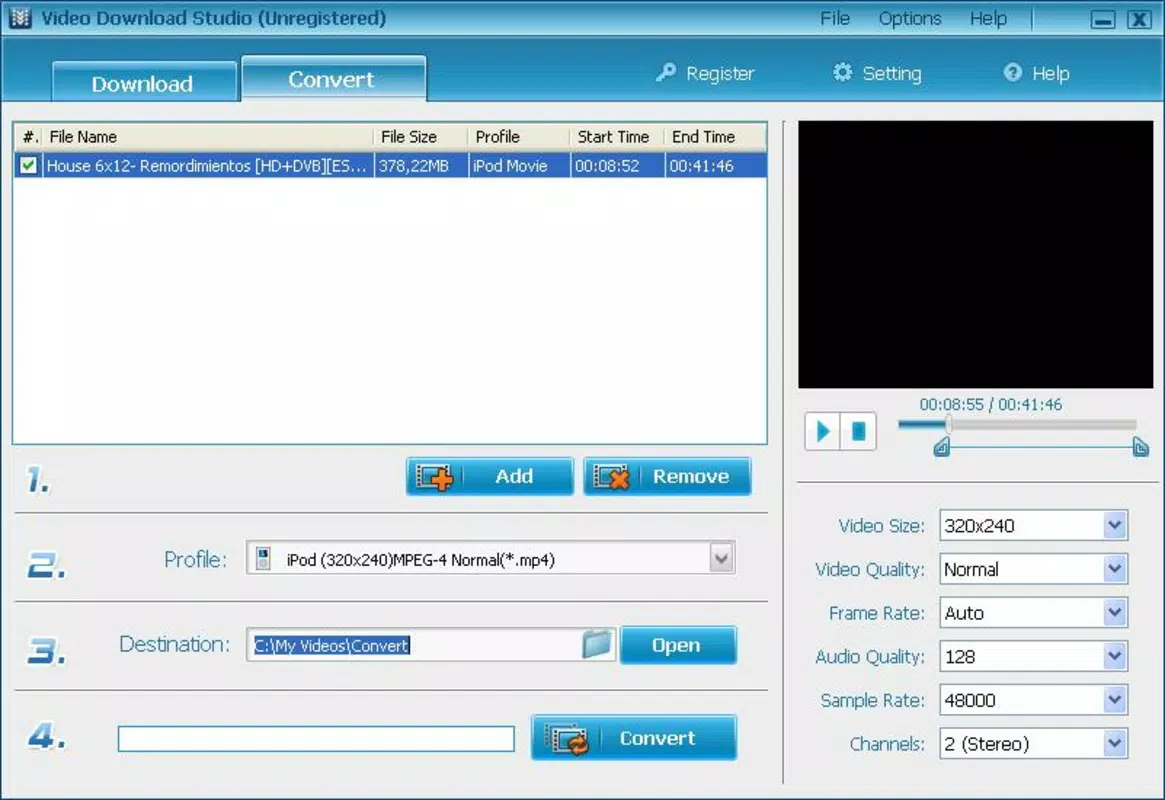
- Integrated Video Conversion Tool: Beyond downloading, the app functions as a video converter for files stored locally on the device. This dual-purpose capability eliminates the need for separate software, enhancing efficiency and reducing clutter on mobile devices.
- Simple Copy-Paste Workflow: The process begins with copying a video URL from a browser or app, then pasting it into Video Download Studio. This intuitive method minimizes user friction and is accessible to individuals with limited technical experience.
- Efficient Download Processing: The app is designed to handle downloads with speed and reliability, allowing users to retrieve videos quickly, even large files, without prolonged waiting times.
For example, a student might copy a lecture video from YouTube, convert it to MP4 for better compatibility, and save it for offline review during a commute. Similarly, a traveler could download a series of destination guides before a flight to enjoy content without data usage.
Interface, UX & Performance
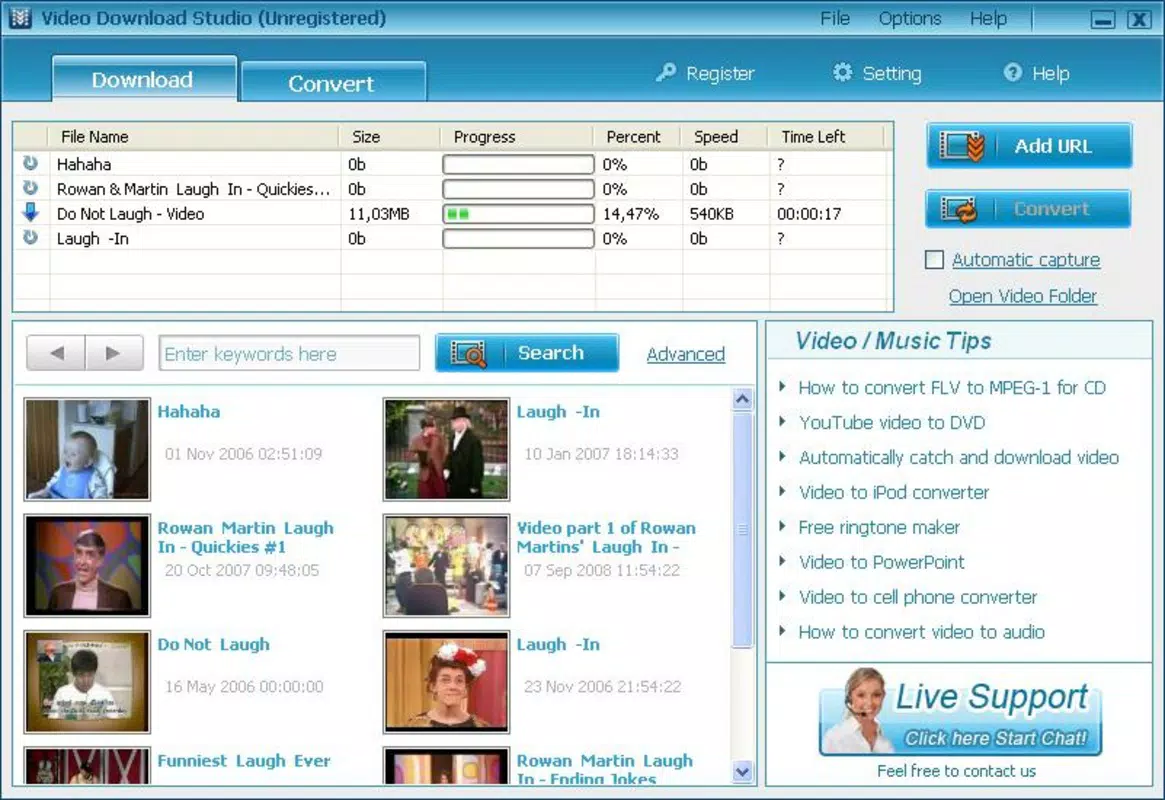
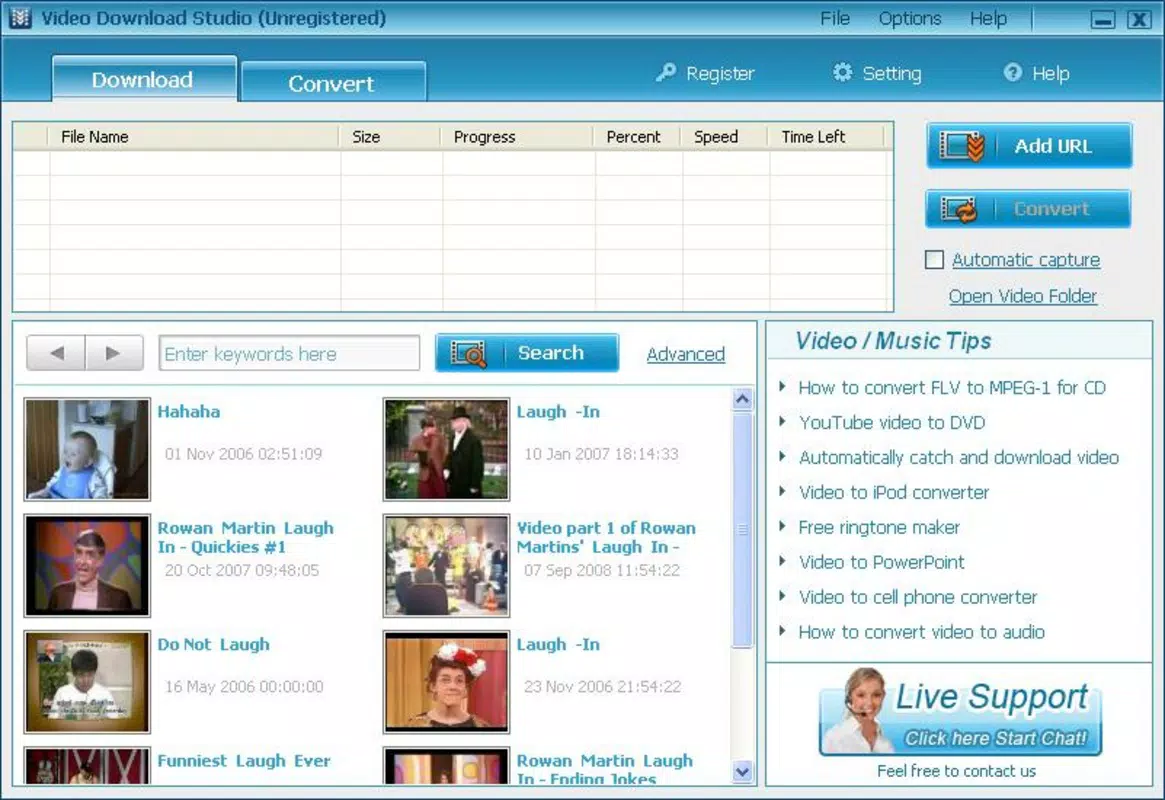
Video Download Studio features a clean, minimalist interface that emphasizes functionality over visual complexity. The layout is centered around a single input field for URL pasting, with clear buttons for initiating downloads and managing conversions. Navigation is straightforward, relying on a linear flow that guides users through the process without unnecessary steps. This design philosophy supports quick task completion, especially for users who prioritize speed and simplicity.
Although the developer did not list formal performance metrics, the app’s lightweight nature—only 3.8 MB in size—suggests efficient memory usage and minimal impact on device resources. It is expected to run smoothly on a wide range of Android devices, including older models. Responsiveness is consistent during basic operations such as URL entry and download initiation. Stability appears to be maintained across sessions, though no specific reports on crashes or freezes were provided. The app does not appear to require high processing power, which enhances its accessibility across different device categories.
Platform Compatibility & Technical Requirements
Video Download Studio is available exclusively on the Android platform. The app requires Android OS, though specific minimum version requirements were not listed. The file size is 3.8 MB, indicating a lightweight footprint suitable for devices with limited storage. The latest version is 1.5.3, and the app is currently offered at no cost to users. Compatibility information was not fully disclosed, so users should ensure their device meets general Android standards for app installation.
Pros and Cons
Pros
- Free to download and use, making it accessible to a wide audience.
- Supports popular video platforms like YouTube and Dailymotion.
- Offers multiple output formats for broader device compatibility.
- Combines video downloading and conversion in a single tool.
- Simple, intuitive interface suitable for all user levels.
Cons
- Specific OS version requirements were not disclosed.
- Developer did not provide details about update frequency or future development plans.
- No built-in progress tracking or download queue management.
- Limited information on supported video resolution or file size limits.
- Compatibility with newer Android versions may not be confirmed.
FAQ
Is Video Download Studio safe to use?
Yes, the app is free from malware and does not require root access. However, users should only download content from sources they have rights to access, as unauthorized downloading may violate terms of service.
Can I download videos from any website?
The app supports YouTube and Dailymotion, but its compatibility with other platforms is not confirmed. Users should verify site support before attempting downloads.
Does the app work on iOS devices?
Video Download Studio is currently available only on Android. There is no official version for iOS.
How do I install the app?
Users can download the APK file from trusted sources and install it directly on their Android device. Ensure that "Unknown Sources" is enabled in device settings.
Is the app updated regularly?
While the app has been available since 2010, the developer did not specify update frequency. Users should check for new versions periodically.
Final Thoughts
Video Download Studio stands out as a lightweight, functional tool for users seeking to download and convert videos on Android. Its dual role as a downloader and converter, combined with broad platform support and a user-friendly interface, makes it a practical choice for everyday use. Despite limited technical details and no official updates in recent years, its enduring presence suggests reliability. For those who value simplicity and efficiency in managing video content, this app delivers consistent value. Whether for education, entertainment, or personal archiving, it remains a solid option in the productivity space.
Download Video Download Studio now


